Quick start
Start coding in 2 minutes — no installation, no setup, everything runs in your browser.

Click here to launch your Codespace
This opens a fully configured cloud environment with Chromia CLI, Rell, and PostgreSQL.
Everything runs inside a browser-based VS Code — nothing to install locally.
This quick start runs entirely in the cloud. You can use it instead of local installation.
If you prefer to set up on your own machine, see Installation.
📚 New to Chromia? Click here to learn what you'll gain from this guide
By the end of this quick start, you'll understand:
- How to create and run a Chromia dapp
- What a Blockchain RID is and why you need it
- How to query your blockchain using the CLI
- The basic CLI development workflow
New to blockchain development? Check out Terminology to understand key concepts like Account IDs, Blockchain RIDs, and key pairs.
Manual setup (optional)
-
Open the Hello World repo.
-
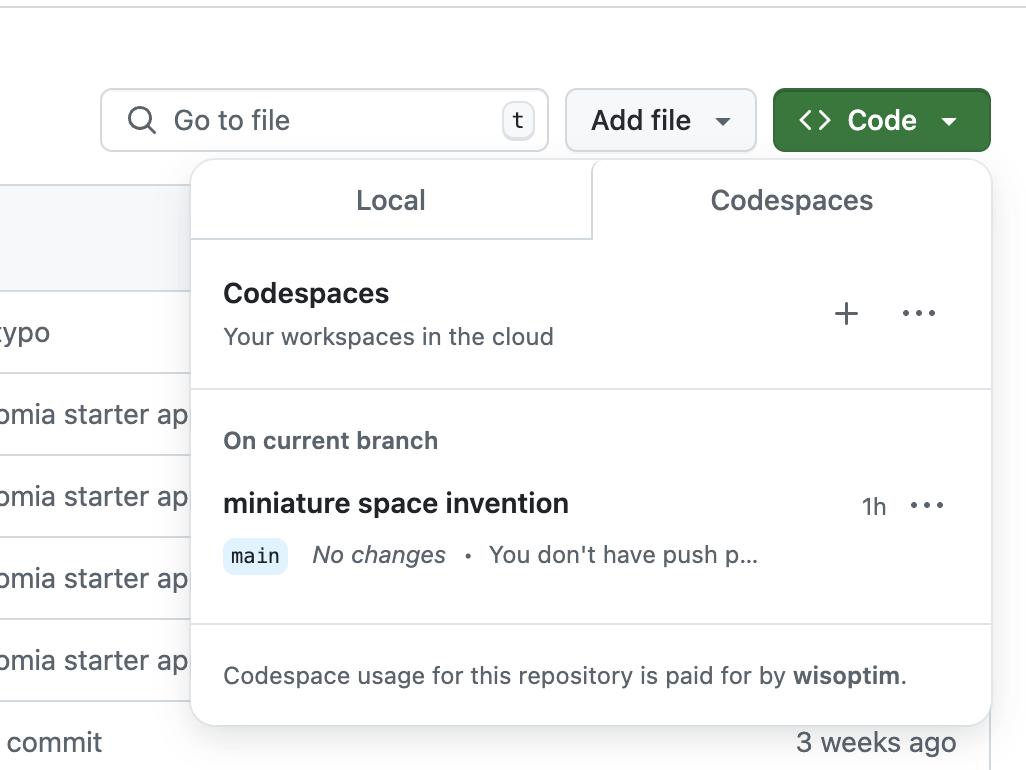
Click Code → Codespaces → +.
-
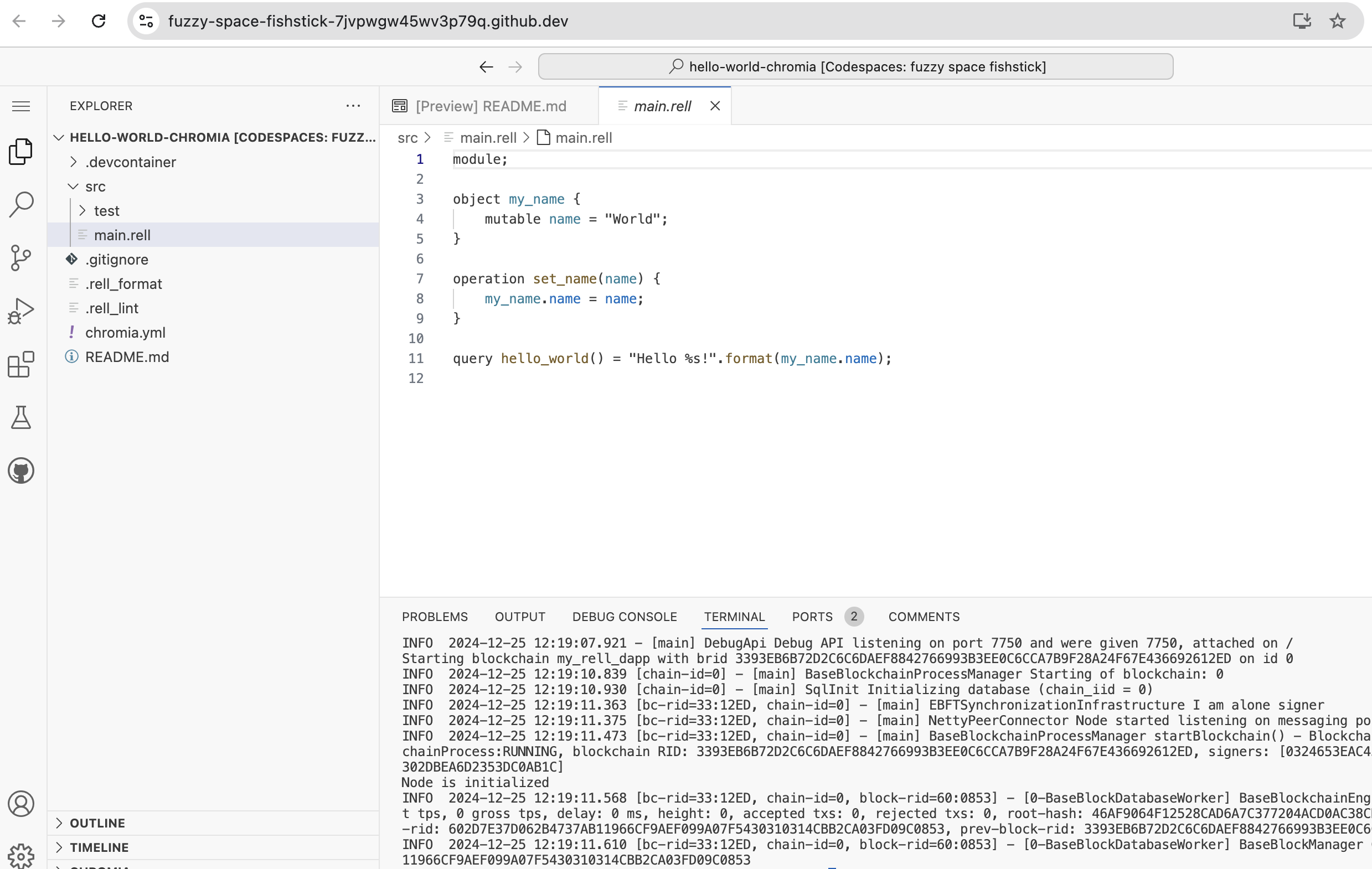
The Codespace will open in browser VS Code:
-
Run Chromia CLI commands in the terminal (already pre-installed).