Build and run
In this topic, you'll build and deploy the Hello World dapp with the
Chromia Command-line Interface (Chromia CLI). Read more about the features of the Chromia CLI
in the Chromia CLI command reference section.
Prerequisites
- Install Visual Studio Code; see VS Code Installation Guide.
- Install PostgreSQL database; see Set up PostgreSQL database.
- Install Chromia CLI; see Install and configure Chromia CLI.
- CLI
- VS Code
Run dapp in Chromia CLI
Once you install the Chromia CLI, it's time to create a project.
-
Create the project folder in a path of your choice and use the
chr create-rell-dappcommand.chr create-rell-dappThe
chr create-rell-dappcommand creates a new Rell structured projectmy-rell-dappwith the necessary files. Amain.rellfile, which includes theHello Worldquery and test files in thesrc/test/folder. You also have a standard configuration for your project in thechromia. ymlfile. For more information, see the project config file.my-rell-dapp|--chromia.yml|--src|--main.rell|--test|--arithmetic_test.rell|--data_test.rellThe next step is to start a node and run your app locally. You can do it in a couple of different ways, but the most straightforward method we recommend is the Chromia CLI.
-
Start the node using the
chr node startcommand inside the newly created project directory:cd my-rell-dappchr node startThe
chr node startcommand starts a node with your applications running on it. All the blockchains listed in theblockchainskey in thechromia.ymlfile get started.blockchains:my_rell_dapp: <----- This is the blockchain that startsmodule: main <----- This is the entry point of the chainThe node should now be running with a local blockchain. The terminal where you ran
chr node startwill display info messages about committed blocks and transactions. Anyprintstatements in your Rell code will also appear there.The last step is to query your dapp and test that the backend works correctly.
-
Write the following in a new terminal with your project folder as the working directory. Remember to replace the
<BlockchainRID>with your Blockchain RID from the node output.chr query hello_worldnoteIf your node is running on a URL other than the default
http://localhost:7740, use the--api-urloption withchr query. -
Your terminal should show you the following message.
"Hello World!"Great! You've successfully queried your dapp. Queries are read-only operations that retrieve data from the blockchain.
-
Now let's modify the data by running a transaction. Transactions (also called operations) can change the state of your dapp.
First, generate a key pair to sign your transactions:
chr keygen --key-id=chromia_keyThis creates a key pair in the
.chromiafolder (chromia_keyandchromia_key.pubkey) that will be used to sign transactions. -
Run a transaction to change the name from "World" to "Developer":
chr tx set_name "Developer"noteIf your node is running on a URL other than the default
http://localhost:7740, use the--api-urloption withchr tx. -
Query again to see the change:
chr query hello_worldYour terminal should now show:
"Hello Developer!"
Great job! The Rell backend is up and running and works as it should. You've learned how to:
- Query data from your dapp (read)
- Run transactions to modify data (write)
- Verify changes by querying again
You have now run a complete Hello World dapp in the Chromia CLI.
Run dapp in VS Code
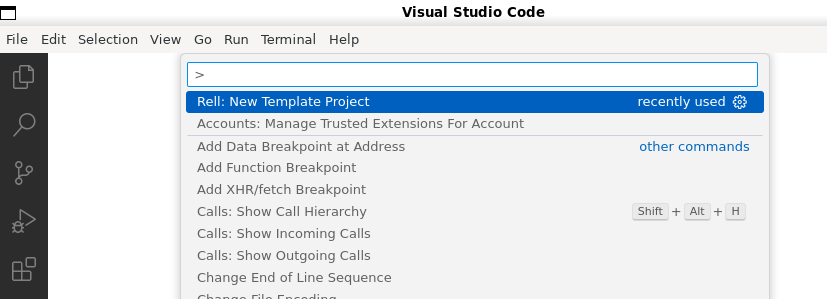
The extension enables language features for Rell, including syntax highlighting and compilation warnings. It contributes the commands Rell: New Template Project and Rell: Invalidate index caches, which are available in the Command Palette. Once you install the extension, it's time to create a project.
-
Open the Command Palette by going to the menu View - Command Palette. Type Rell: New Template Project.
-
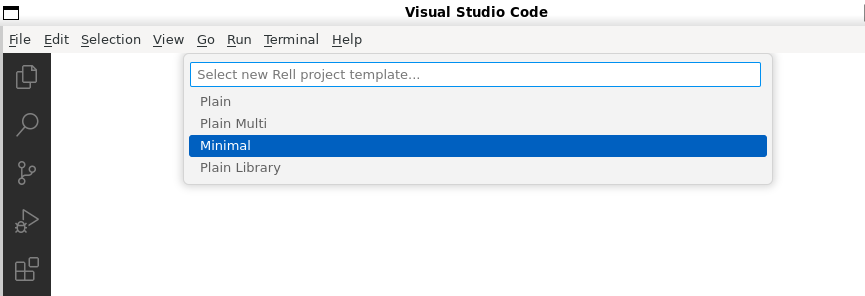
The command Rell: New Template Project asks you to select the project type from the dropdown menu. Select Minimal.
-
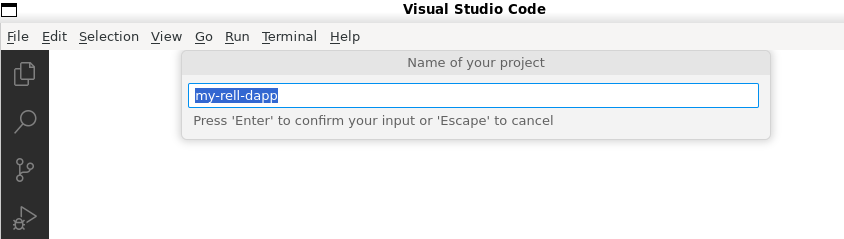
Next, you get
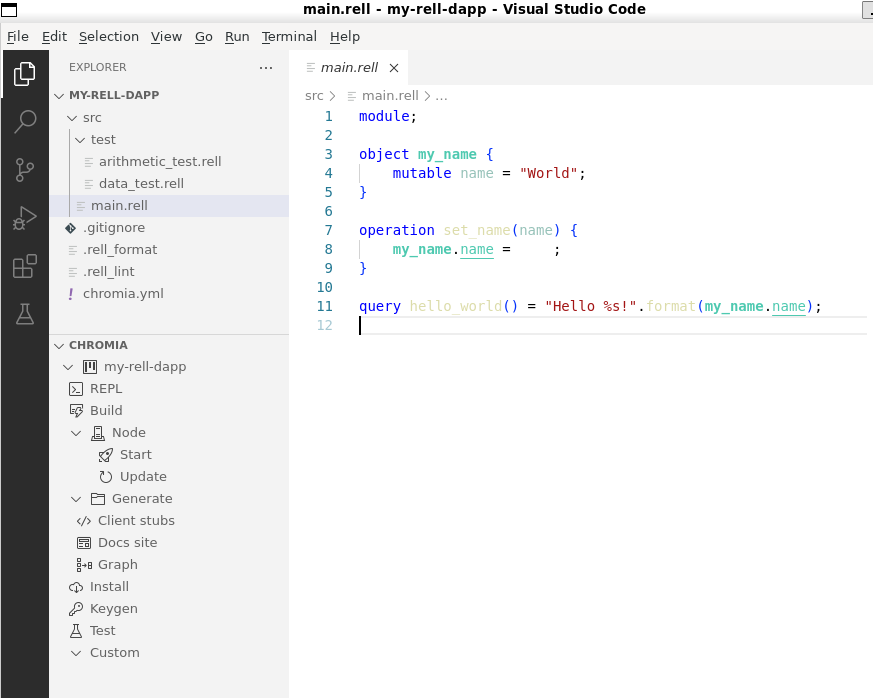
my-rell-dappas prefilled project name. Press Enter to create the project.It creates a new Rell structured project with the necessary files. A
main.rellfile, which includes theHello Worldquery and test files in thesrc/test/folder. You also have a standard configuration for your project in thechromia.ymlfile. For more information, see the project config file.noteMake sure to set the same password and username as your database instance if you didn't choose the default one from Set up PostgreSQL database. You can change this under the database attributes in the project config file.
-
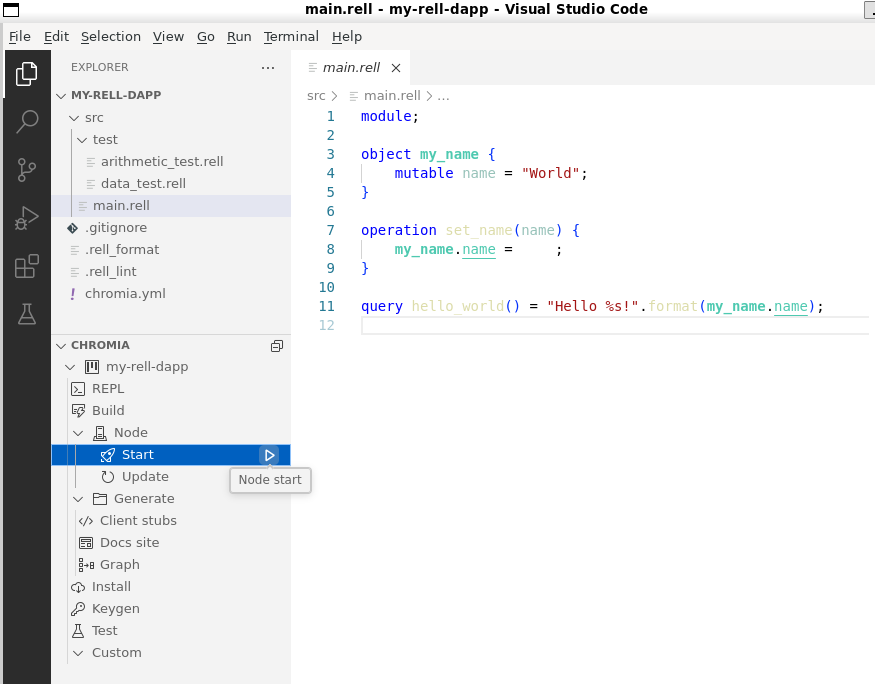
Use the
Node startcommand to start the node.infoThis command starts a node that contains your app. For more information, see Deploy your dapp to Testnet or node command.
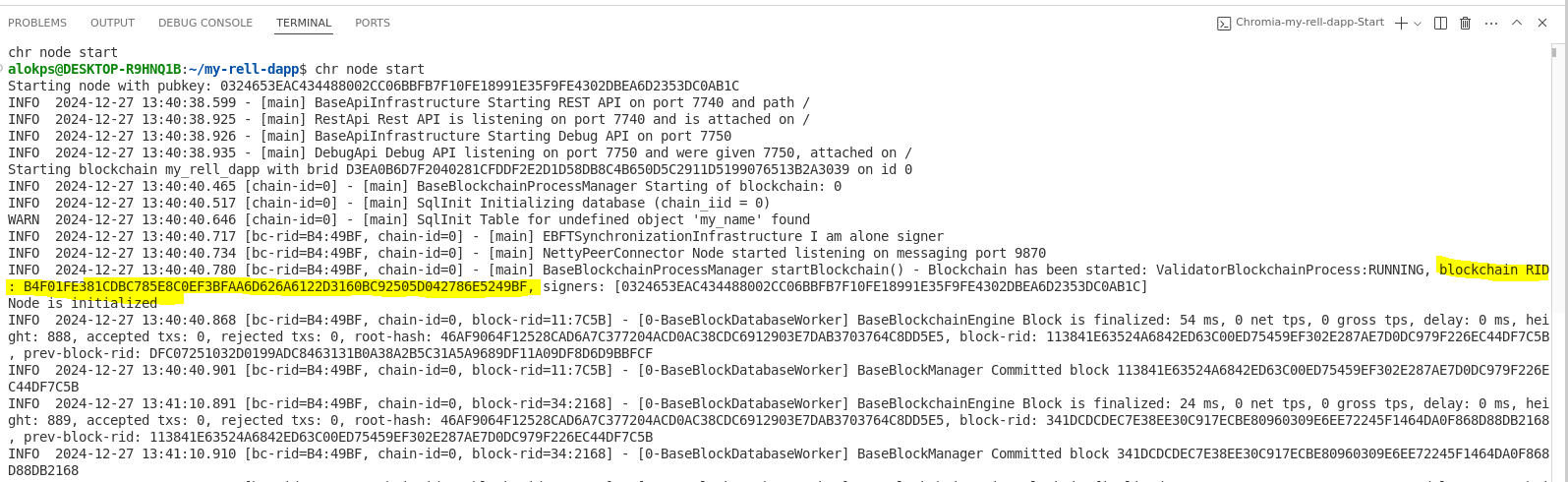
Locate the Blockchain RID in the terminal output. You need it to interact with your dapp. The Blockchain RID is the hex value following the Blockchain RID: tag. For example, see the following image.
The last step is to query your dapp and test that the backend is working correctly.
Run the following command to call the hello_world query defined in main.rell:
chr query hello_world
You should see:
"Hello World!"
Great! You've successfully queried your dapp. Queries are read-only operations that retrieve data from the blockchain.
Run a transaction
Now let's modify the data by running a transaction. Transactions (also called operations) can change the state of your dapp.
-
First, generate a key pair to sign your transactions. Run this command in the terminal:
chr keygen --key-id=chromia_keyThis creates a key pair in the
.chromiafolder (chromia_keyandchromia_key.pubkey) that will be used to sign transactions. -
Run a transaction to change the name from "World" to "Developer":
chr tx set_name "Developer" -
Query again to see the change:
chr query hello_worldYou should now see:
"Hello Developer!"
Great job! The Rell backend is up and running and works as it should. You've learned how to:
- Query data from your dapp (read)
- Run transactions to modify data (write)
- Verify changes by querying again
You have now run a complete Hello World dapp in VS Code.
Optional Next steps
Now that your Rell backend is running, you can:
- Connect a client - Learn how to interact with your dapp from a frontend application
- Learn Rell - Follow courses on the Chromia learning platform